

Broadcast overview
The สถิติบรอดแคสต์ (Broadcast statistics) page compares which of your shop's broadcasts performed better and shows whether results are trending up or down. It adds up delivered, opened and clicks for LINE broadcasts that are ส่งแล้ว (Sent) or ส่งได้บางส่วน (Partly sent) in the chosen period (scheduled, sending, failed and canceled broadcasts are not counted). Everyone in the shop can open it.
Opening the broadcast overview
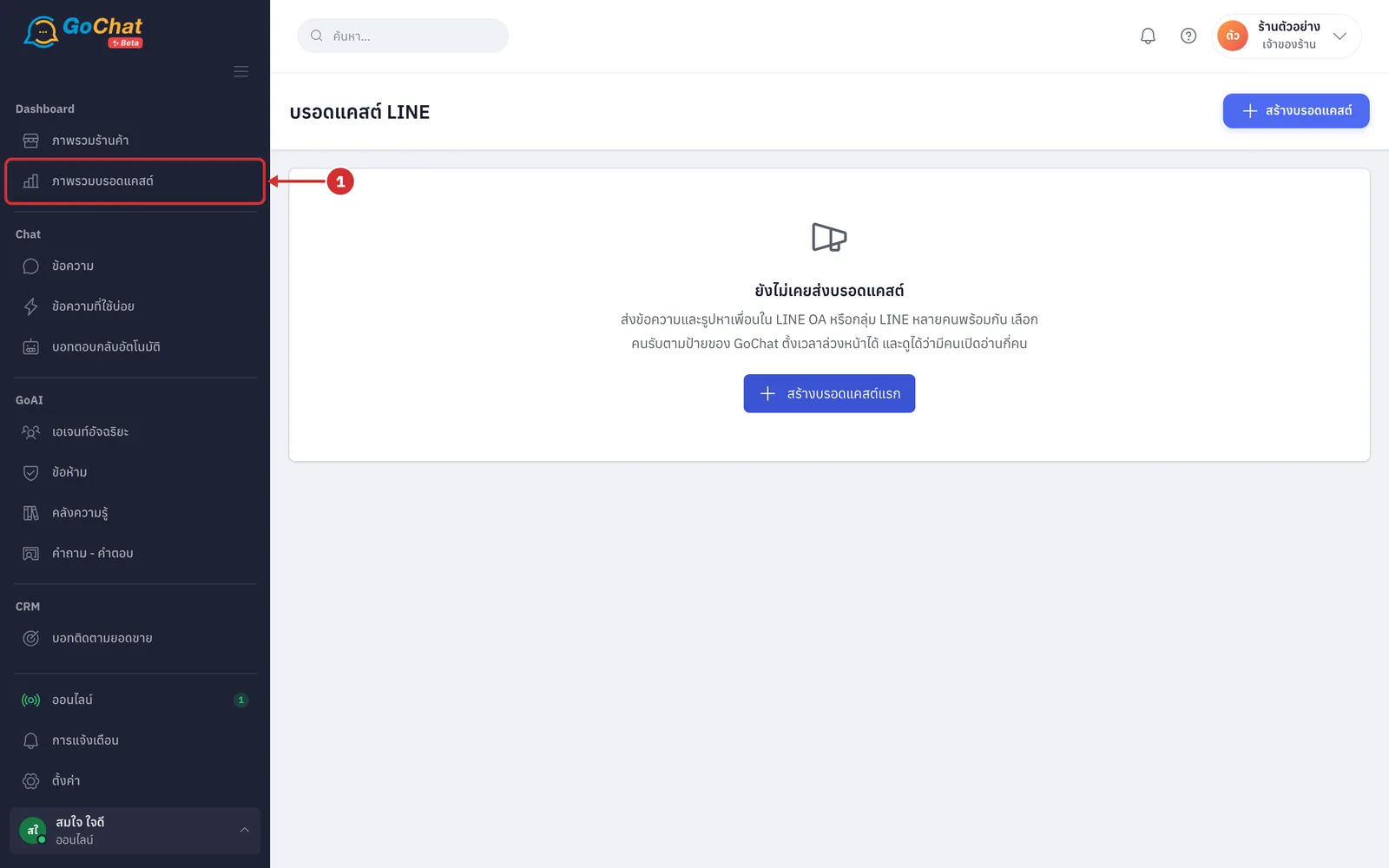
Under Dashboard, choose ภาพรวมบรอดแคสต์ (Broadcast overview) in the left menu bar. The สถิติบรอดแคสต์ (Broadcast statistics) page opens
Choosing the period and account
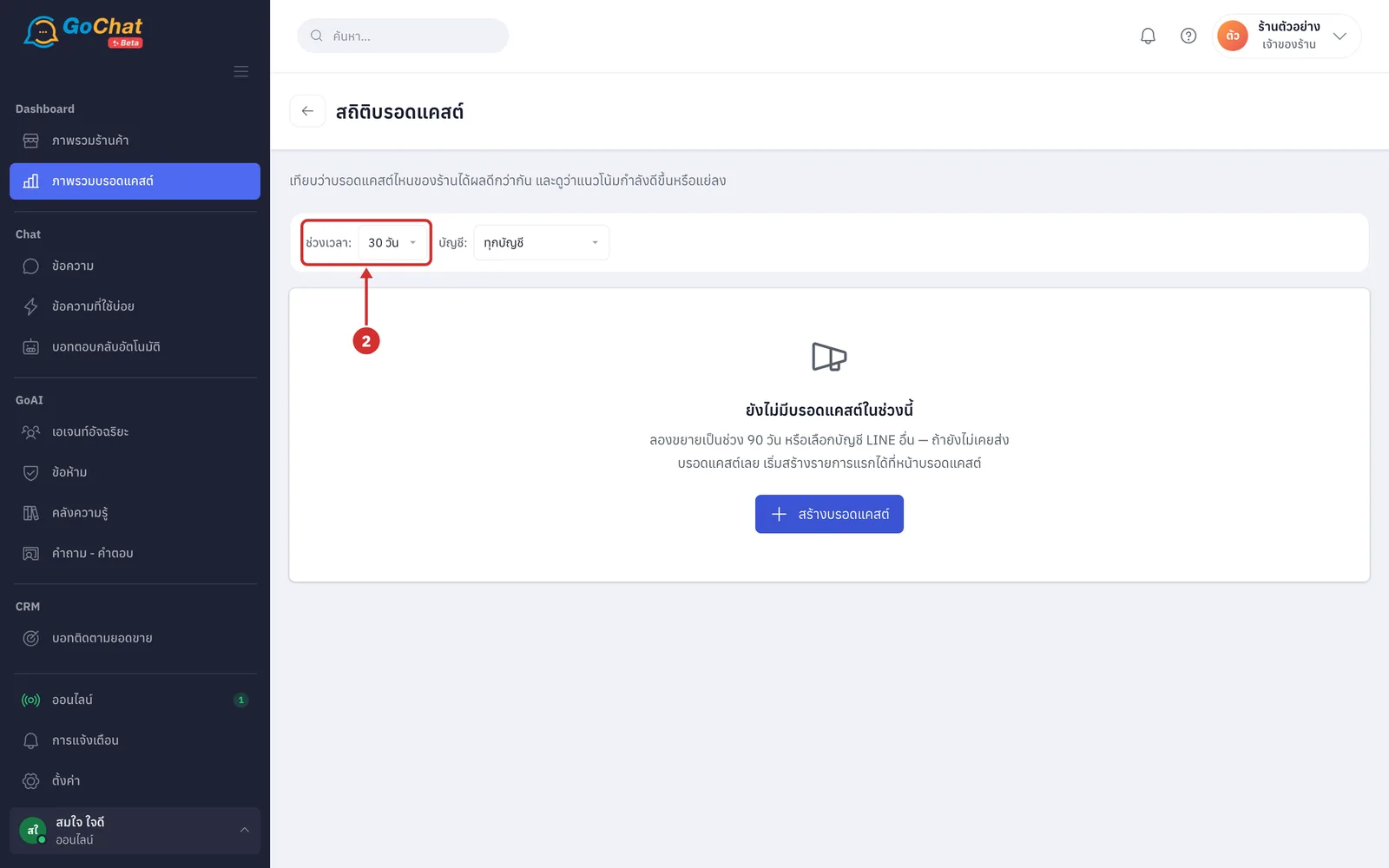
At ช่วงเวลา: (Period), choose 7 วัน (7 days), 30 วัน (30 days) or 90 วัน (90 days) (the default is 30 days; days follow your shop's time and today is the last day of the period; while new numbers load it shows กำลังโหลด… (Loading…))
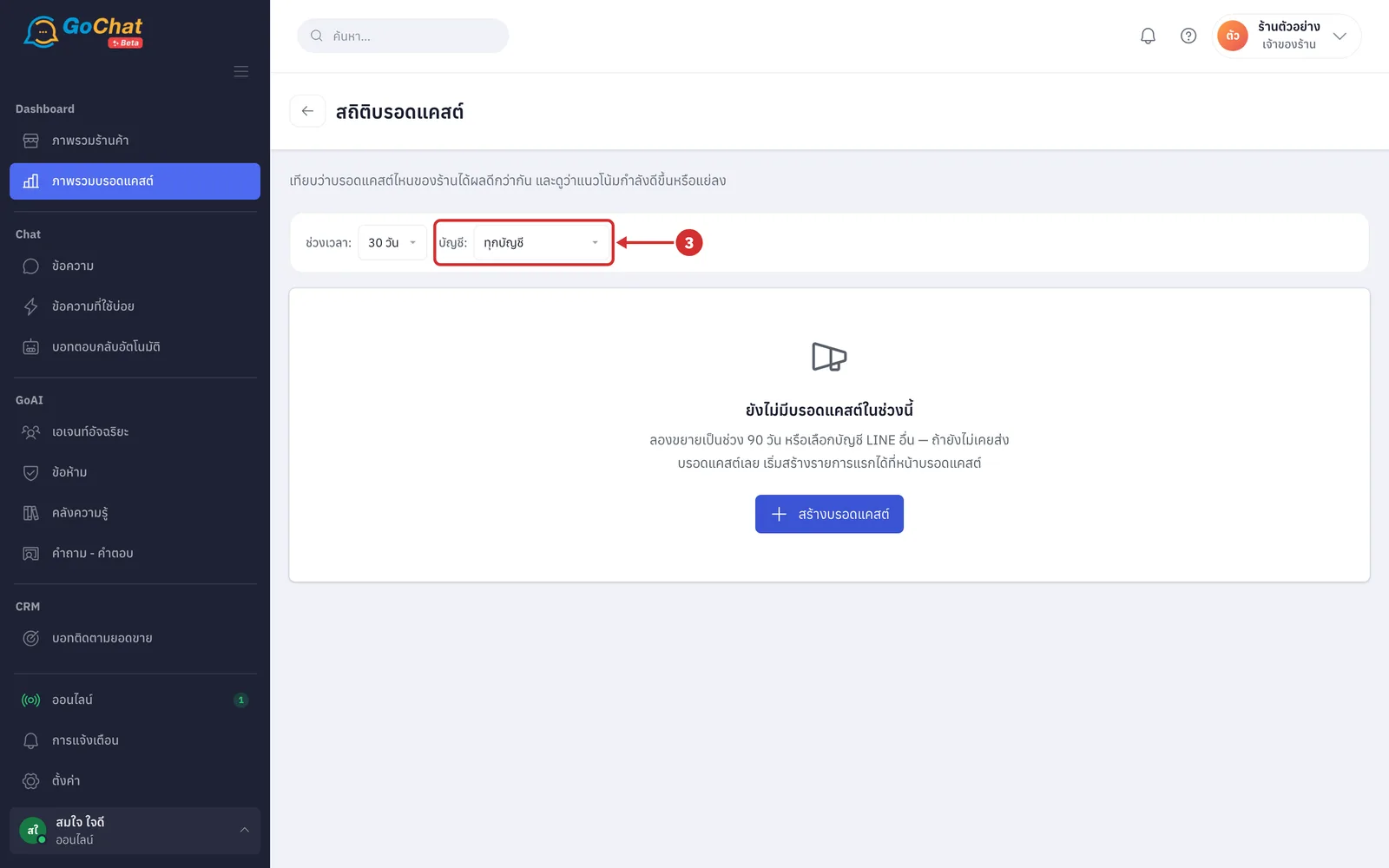
At บัญชี: (Account), choose ทุกบัญชี (All accounts) or a single LINE OA to see only broadcasts sent from that account
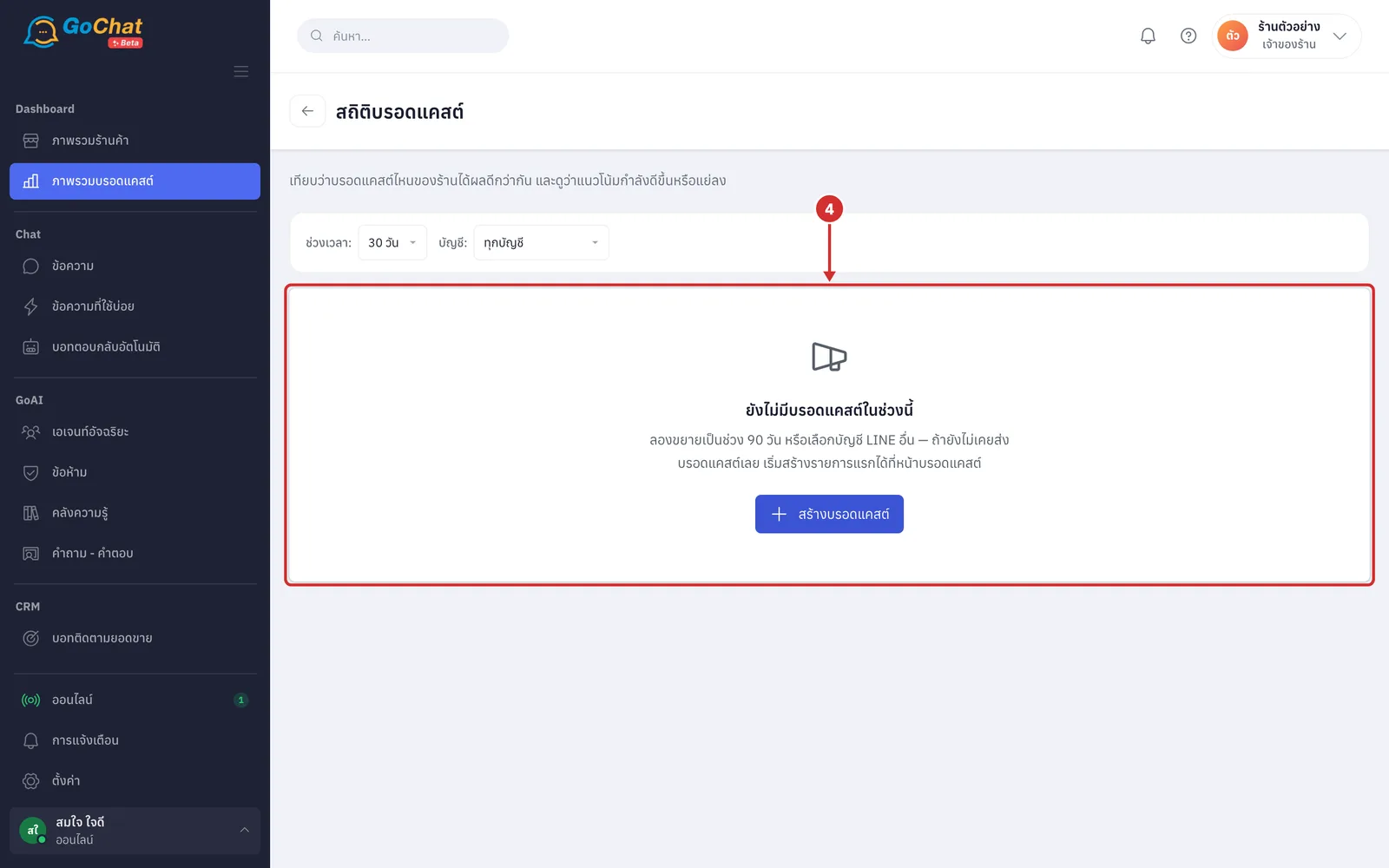
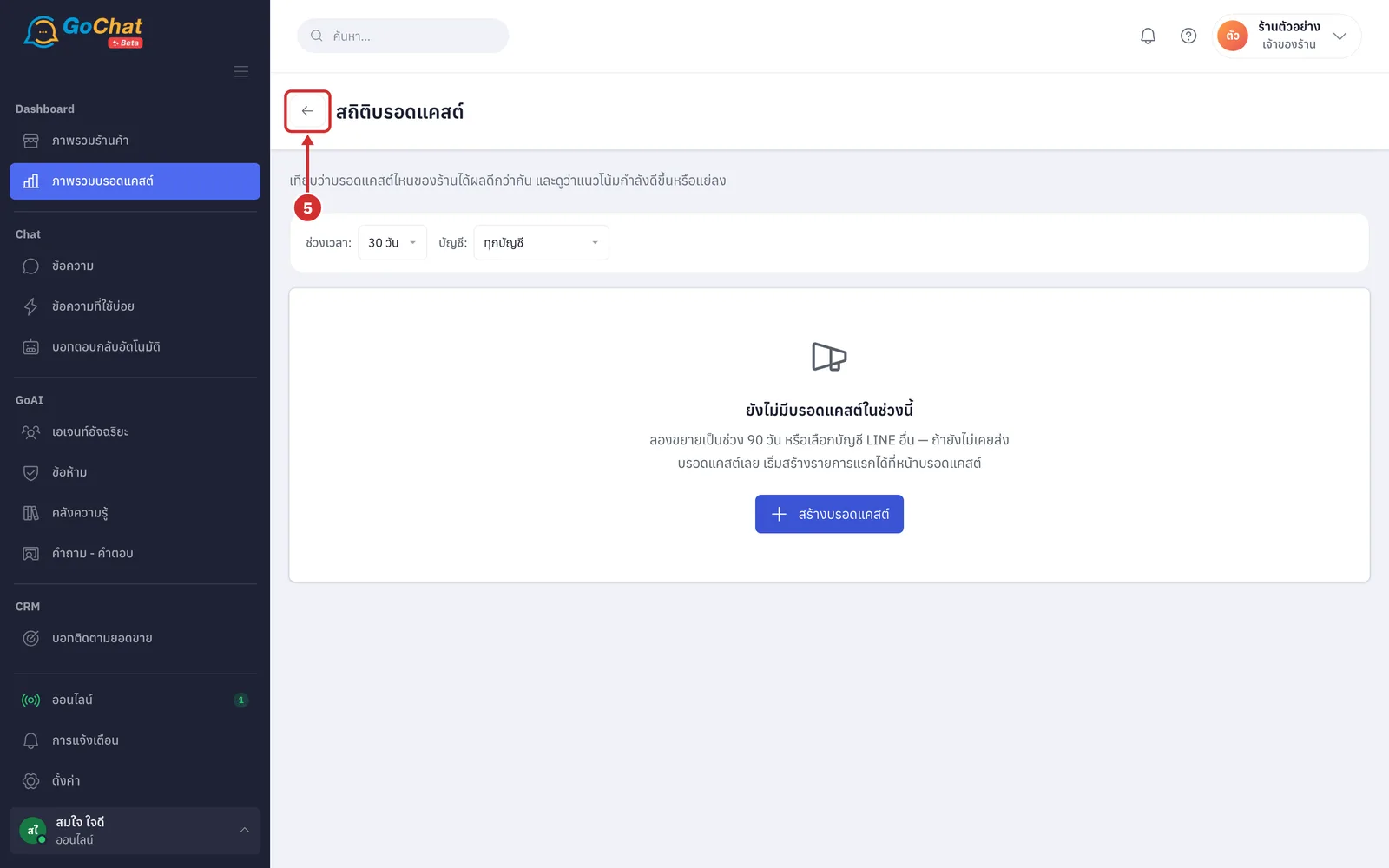
If the chosen period has no sent broadcasts, it shows ยังไม่มีบรอดแคสต์ในช่วงนี้ (No broadcasts in this period). Try 90 days or another account, or click สร้างบรอดแคสต์ (Create broadcast) to go to the create page (see Sending broadcasts for how to send)
Reading the daily trend chart
When the period has broadcasts, the แนวโน้มรายวัน (Daily trend) card adds up broadcasts by the day they were “sent”, not the day customers opened them. The horizontal axis is every day in the period with today on the right, and the vertical axis is the number of people. There are two lines, matching the colour key above the chart: ส่งถึง (Delivered) and เปิดอ่าน (Opened).
Points appear only on days when a broadcast was sent, and lines connect those days. On days with incomplete numbers (delivered count not recorded, statistics not in yet, or fewer than 20 people) the line breaks and there is a hollow circle on the baseline, matching ไม่มีข้อมูล (No data) in the key; this does not mean zero (when there is a delivered count but no opened count, a dashed line runs from the baseline up to the delivered point).
Point at a dot, or press Tab to move to it, to see that day's details: the date (and the number of broadcasts if more than 1 was sent that day), ส่งถึง (Delivered) and เปิดอ่าน (Opened) with the percentage, or the reason there is no data.
Reading the summary numbers
Under the chart are 4 number cards: ส่งไปแล้ว (Sent) is how many broadcasts were sent in the period; ส่งถึงรวม (Total delivered) is the total number of people reached across all of them (if some broadcasts have no recorded count, it says how many are left out); เปิดอ่านเฉลี่ย (Average opened) and คลิกเฉลี่ย (Average clicks) are the averages of each broadcast's open and click percentages, with a line under the number saying how many broadcasts with numbers the average is based on (if none has numbers yet, it shows a dash with ยังไม่มีรายการที่มีตัวเลข (No broadcasts with numbers yet)).
Averages only count broadcasts with real numbers; broadcasts under 20 people or without statistics yet are left out, not counted as zero. LINE keeps updating each broadcast's statistics for 14 days after sending, after which the numbers stop changing.
Comparing each broadcast
The เทียบผลแต่ละบรอดแคสต์ (Compare each broadcast) card ranks broadcasts from the highest open percentage down, with อันดับ (Rank), เนื้อหา (Content), ส่งถึง (Delivered), เปิดอ่าน (Opened) and คลิก (Clicks) columns. The content cell shows the text, thumbnails, account name and recipients like the broadcast list (click the text to open the details page), plus a ส่งเมื่อ (Sent at) line. Broadcasts sent less than 14 days ago have a ยังนับอยู่ (Still counting) label because LINE can still update their statistics, so numbers and ranks may change.
Broadcasts with incomplete data get no rank: the rank cell shows a dash, and they are listed after the ranked ones, newest first. Point at the dash to see why, such as ต่ำกว่า 20 คน (Fewer than 20 people), LINE ยังไม่ส่งสถิติ ปกติได้ภายใน 1 วันหลังส่ง (LINE has not sent statistics yet, usually within 1 day of sending), LINE ไม่ส่งสถิติของข้อความที่ส่งเข้ากลุ่ม (LINE does not give statistics for messages sent to groups) or ไม่ได้บันทึกจำนวนส่งถึง (Delivered count not recorded). น้อยกว่า 20 (Fewer than 20) in the opened or clicks column means LINE does not reveal numbers under 20 people, to protect recipients' privacy. The end of the card shows จัดอันดับได้ N จาก M รายการ (N of M broadcasts ranked).
Going back to the broadcast page
Click the back arrow before the page title to go to the บรอดแคสต์ LINE (LINE broadcast) page, which lists all of your shop's broadcasts for creating, canceling or resending
Note: This page counts up to 1,000 broadcasts per period. If there are more, a warning says the numbers only cover the latest 1,000 and suggests a shorter period. If your shop has not connected a LINE OA, the page shows ร้านนี้ยังไม่ได้เชื่อม LINE OA (This shop has not connected a LINE OA) with a ไปหน้าช่องทาง (Go to Channels) button.