

Viewing order command history
The ประวัติคำสั่งรับออเดอร์ (Order command history) page keeps every round someone typed an order command, whether it was created, is still open, was cancelled or could not be created. Use it to check where an order came from and why the bot did not create one (setting up and using commands is covered in Setting up chat order commands)
Opening order command history
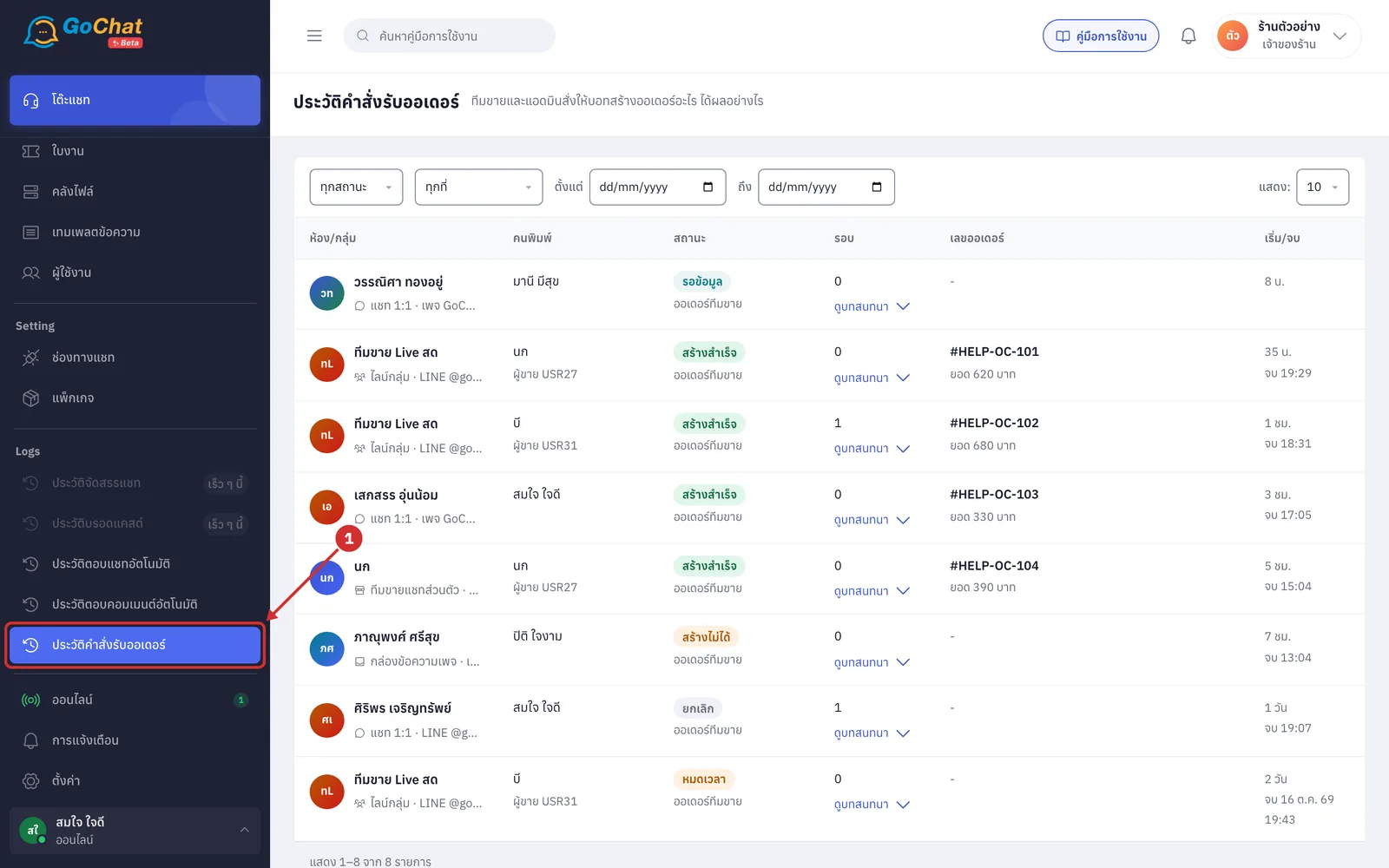
Go to the ประวัติคำสั่งรับออเดอร์ (Order command history) menu under Logs in the left menu (it appears when your shop uses chat order commands)
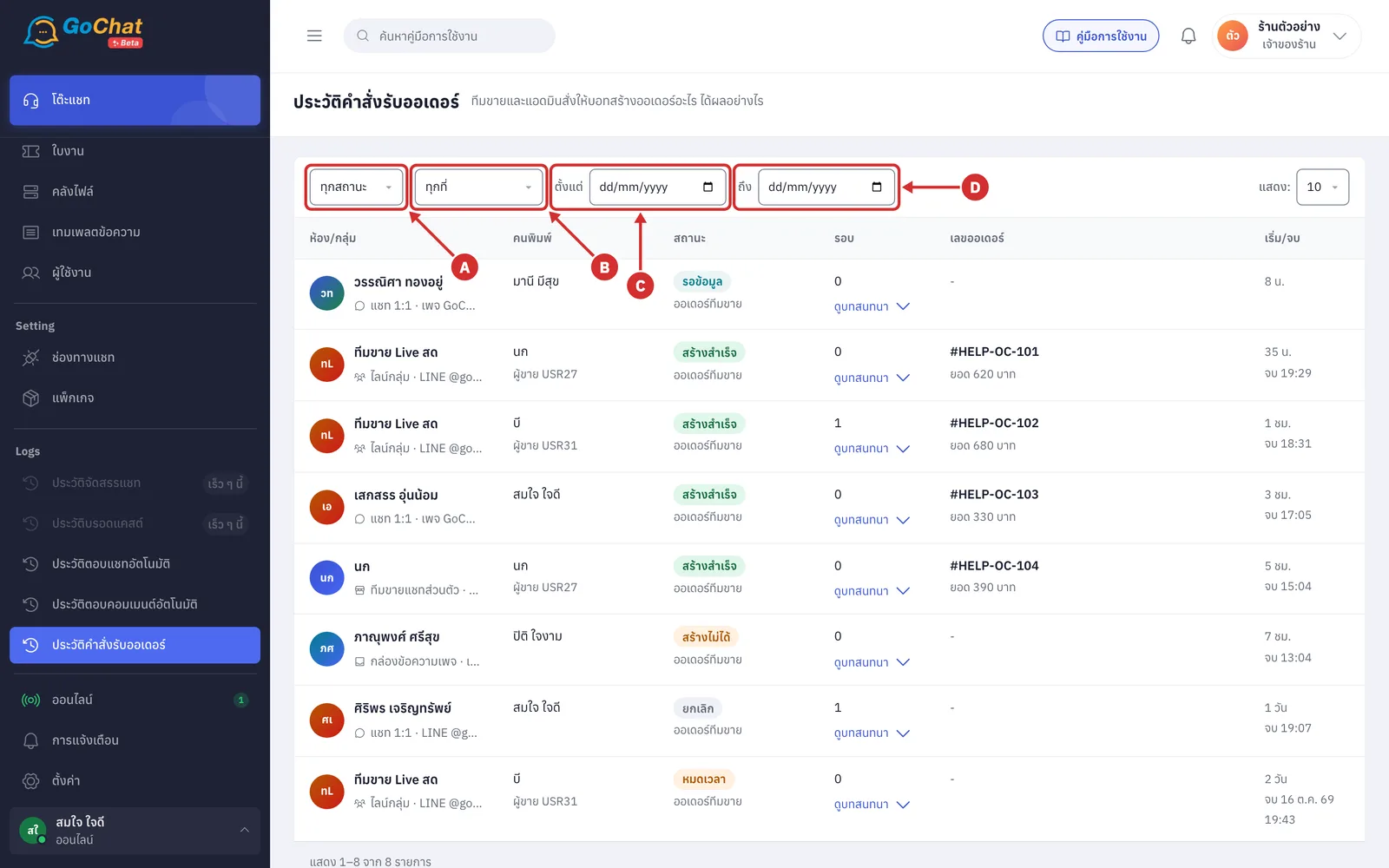
The bar at the top filters the history; every filter applies as soon as you choose it
A Status filters by status: ทุกสถานะ (All statuses), รอข้อมูล (Waiting for details), รอยืนยัน (Waiting for confirmation), สร้างสำเร็จ (Created), สร้างไม่ได้ (Could not create), ยกเลิก (Cancelled) and หมดเวลา (Expired)
B Where filters by where the command was typed: ทุกที่ (Everywhere), ไลน์กลุ่ม (LINE group), แชท 1:1 (1:1 chat, an admin typing in a customer chat in GoChat), ทีมขายแชทส่วนตัว (Seller private chat) and กล่องข้อความเพจ (Page inbox)
C ตั้งแต่ (From) and D ถึง (To) set the date range when the command started (shop time)
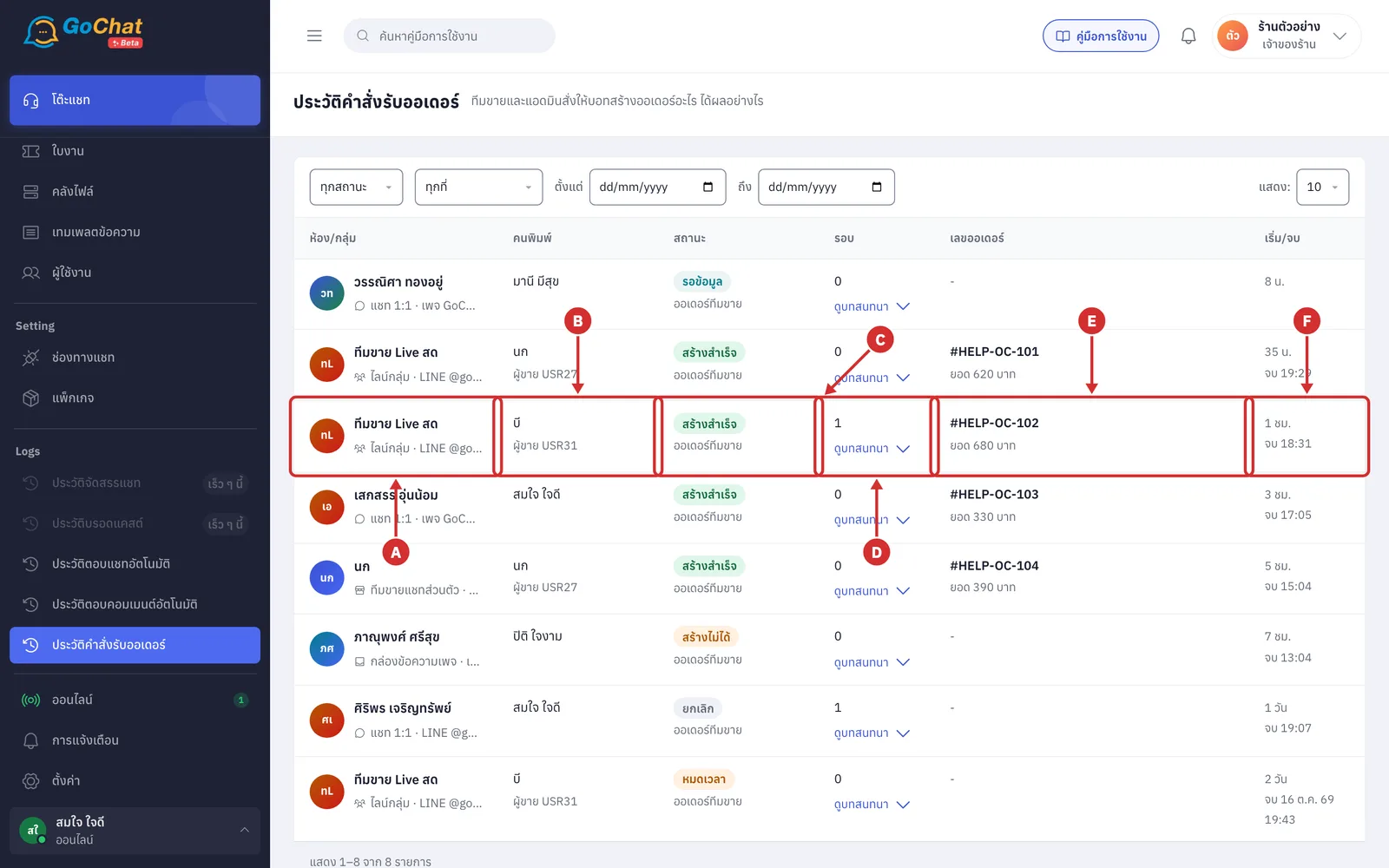
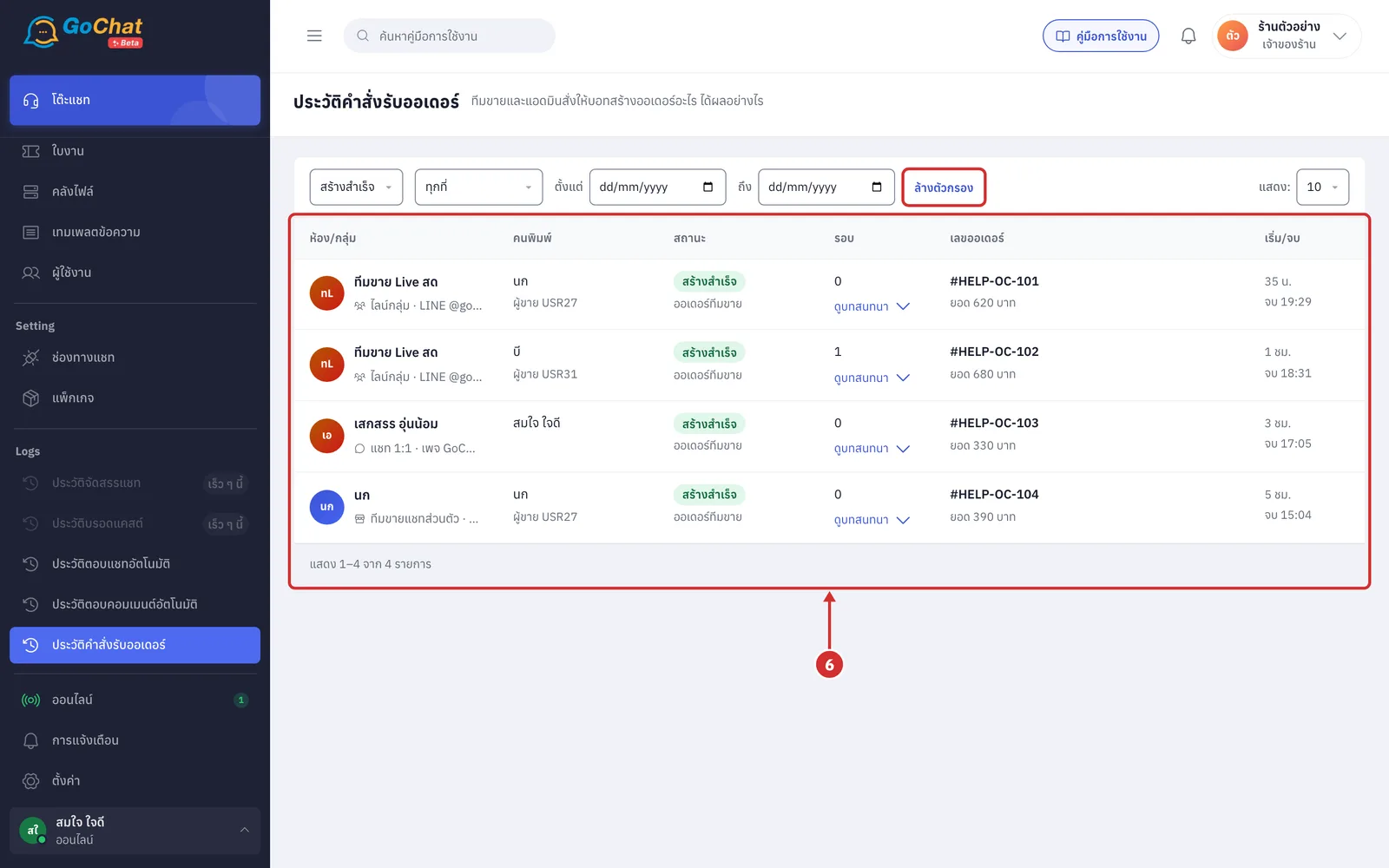
Each row is one command round, newest first
A ห้อง/กลุ่ม (Chat/Group) customer or group name with where it was typed, such as ไลน์กลุ่ม · LINE @gochat (LINE group) or แชท 1:1 · เพจ … (1:1 chat · page …)
B คนพิมพ์ (Typed by) the seller or admin, and ผู้ขาย USR… (Seller USR…) credited on the order
C สถานะ (Status) the status label and the command used, such as
สร้างไม่ได้ (Could not create): a page inbox command the bot could not create
หมดเวลา (Expired): left open too long and closed by the system
D รอบ (Rounds) how many times the bot had to ask for more details, and ดูบทสนทนา (View conversation)
E เลขออเดอร์ (Order number) the number from GoSaaS and the total (not created = -)
F เริ่ม/จบ (Start/End) when the command started and จบ (ended) once created or cancelled
Click ดูบทสนทนา (View conversation) to expand every message between the person and the bot under the row
Click again to ซ่อนบทสนทนา (Hide conversation)
One row can be expanded at a time
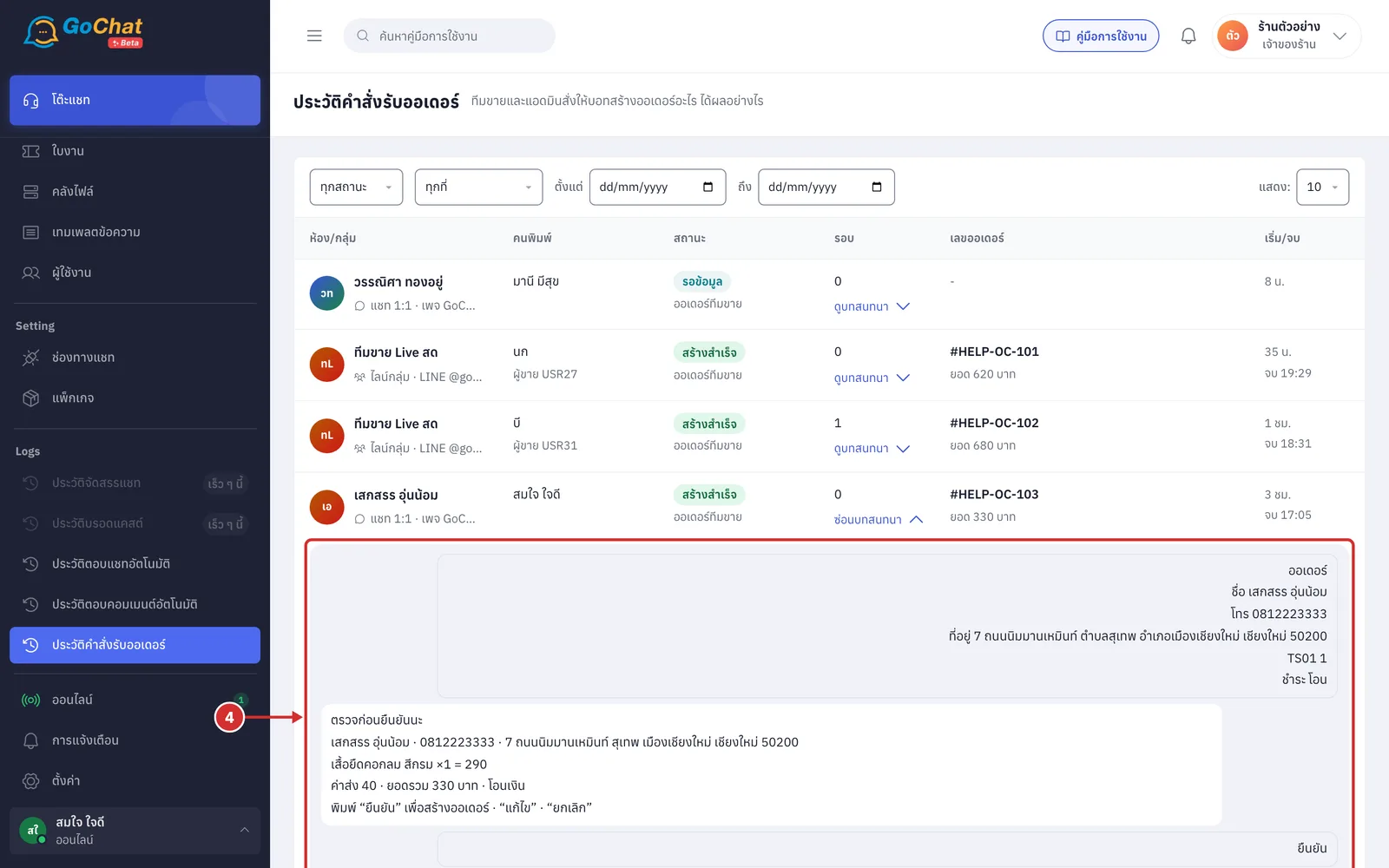
Bot replies that were not sent in the chat have a label under them
ไม่ได้ตอบในแชท (Not replied in chat): such as when ตอบเมื่อสร้างไม่ได้ (Reply when it cannot be created) is off, so the reason is only kept here
ส่งไม่ถึงกลุ่ม / ส่งไม่ถึงแชท (Not delivered to the group / chat): sending failed, such as when the bot was removed from the group
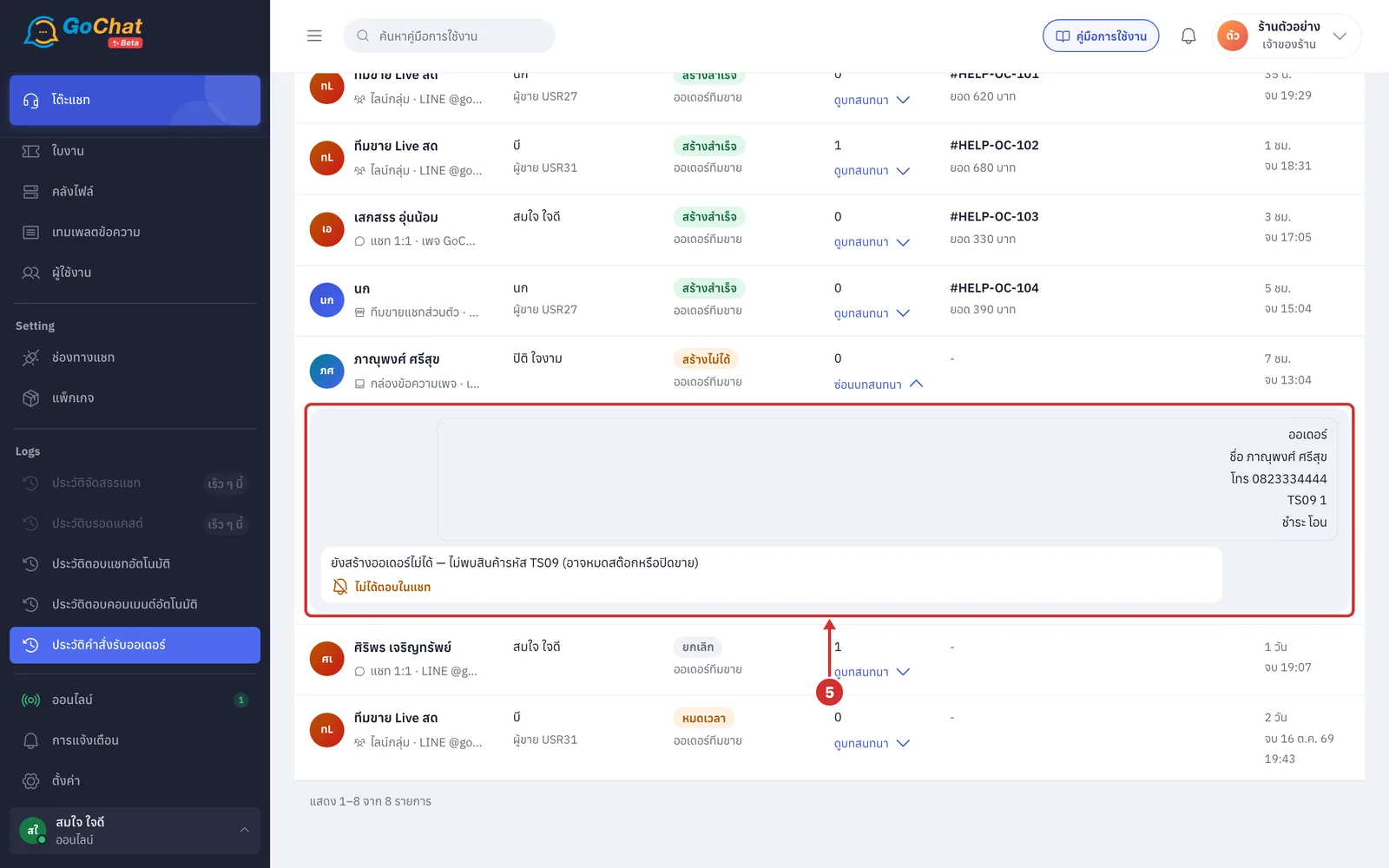
For example, choose the สร้างสำเร็จ (Created) status and only commands that produced an order remain; click ล้างตัวกรอง (Clear filters) to see everything again
If nothing is found, it shows ไม่พบรายการตามตัวกรองนี้ (No results for this filter)
A shop with no history yet shows ยังไม่มีประวัติ (No history yet) with ไปตั้งคำสั่งรับออเดอร์ (Set up order commands)
About order command history
The bottom of the table lets you choose rows per page and change page
Order command history is not deleted by age, so you can look back as far as you need
Click a chat name to open that chat